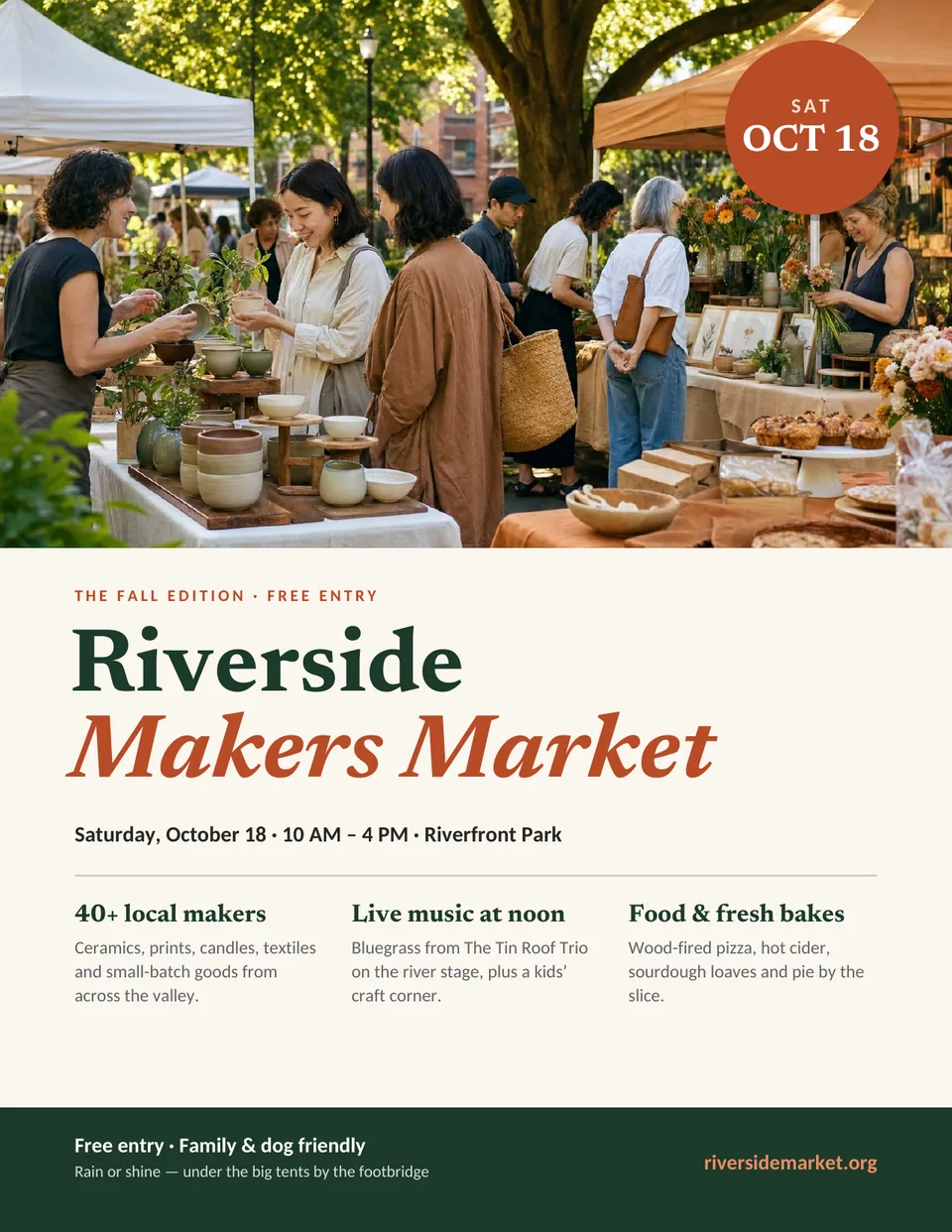
Flyer template
Free Event Flyer template
A bold one-page flyer for a market, fair, fundraiser or open day. A large photo and a round date badge do most of the work, with three short “what to expect” columns and a footer strip for the address and time.
- Size
- US Letter, portrait
- Pages
- 1
- Files
- Print-ready PDF and editable .kva
- Price
- Free, no sign-up
- Photo area with a round date badge
- Headline set in two colors for the event name
- Three short feature columns and a footer strip
The PDF prints as-is. To change the words and photos, open the .kva file in Korva (free for Windows, macOS and Linux).
Tips for this template
Say what, when and where first
Someone walking past a noticeboard gives a flyer about three seconds. Make sure the event name, the date and the place read clearly from a few steps away.
Keep the columns short
Each of the three feature columns works best at one or two lines. Put the details on your website and print the address in the footer.
Pick a photo with room for the badge
Choose a photo with a quieter area near the top corner so the date badge stays readable on top of it.
How to edit it in Korva
- Download Korva and install it. It works offline and needs no account.
- Download the .kva file above and open it from Korva’s home screen.
- Click any text frame to retype it, and double-click a photo to replace it with your own picture.
- Export a PDF for the printer. Your first complete project exports free; Korva Pro is USD 49 once for unlimited projects.