How do I contact Korva support?
In Korva, click the Help tab, then Contact Support. Click Copy to copy the address and paste it into a new email, or click Open my email app. For a problem with a file, attach the file or a screenshot, and say which version of Korva and which system you use.
- In Korva
- Help, then Contact Support
Support is by email, and a person answers. You can write about a problem, a question, a bug or a refund.
Email support from Korva
-
Click the Help tab, then Contact Support. On a Mac you can also choose Help, then Contact Support… in the menu bar.

- 1Help tab
- 2Contact Support
-
The Contact support window shows the support address.
- If you use Gmail, Outlook or Yahoo in a web browser, click Copy and paste the address into a new email.
- If you use an email program on your computer, click Open my email app.

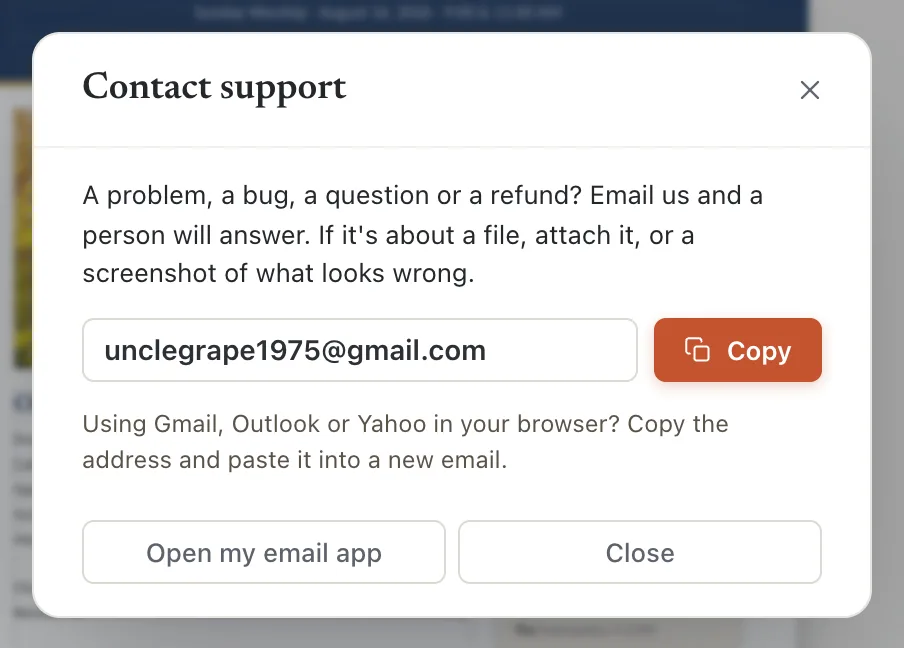
- 1Copy
- 2Open my email app
The address is support@korsund.com.
What to put in your email
The more of this you include, the faster we can help:
- What happened, and what you expected instead. Copy any error message word for word, or take a screenshot.
- The steps, if you can make it happen again: “Opened bulletin.pub, clicked Export PDF, page 2 came out blank.”
- The file. Attach the .pub, .kva or PDF it happened with.
- Your Korva version. Click Help, then Check for Updates; the window shows it (or, on a Mac, Korva, then About Korva).
- Your system: Mac, Windows or Linux, and its version, for example macOS 15 or Windows 11.
- Your plan: Free or Pro. For a licence question, use the email address you bought Korva with.
For a refund within 14 days of buying, the email address you bought with is enough. See Refunds.
Report a bug or ask for a feature
If you have a GitHub account, you can also report a bug or ask for a feature in public:
- Click Help, then Help & Shortcuts.
- Click Report a bug or Request a feature. A form opens on GitHub in your browser.
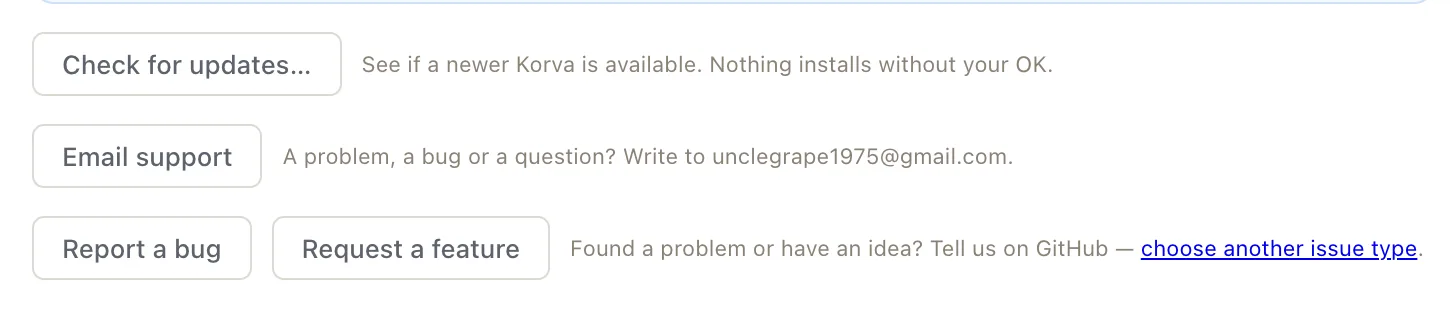
- 1Email support
- 2Report a bug
- 3Request a feature
Before you write
- Check for an update: the problem may already be fixed. See How do I update Korva?
- If Korva closed before you saved, start it again first; it may offer to recover your work. See Recover unsaved work.
If it still doesn’t work
Open my email app opens the wrong program, or asks me to set up an account
Your computer has no email program set up, or a different one than you use. Close it, click Copy instead, and paste the address into a new email wherever you read your mail.
Copy doesn’t seem to do anything
Click in the address box: the whole address is selected. Press ⌘CCtrl+C to copy it.
Something wrong or missing in this article? Email support or open an issue on GitHub.
