What can I do with Korva Free, and what does Pro add?
With Korva Free you can open and edit .pub files and export your first project as often as you like (PDF, picture or print). Korva Pro is a one-time $49 for one computer and adds exporting every other project, saving editable .kva files, converting a whole folder of .pub files, mail merge and master pages.
- In Korva
- The Free or Pro button in the title bar, or Help, then Korva Pro
Korva has one download. Without a licence key it runs as Korva Free; entering a key turns it into Korva Pro on that computer. Free has no watermark and needs no account.
The comparison
| Free | Pro | |
|---|---|---|
| Open & edit .pub files | ✓ | ✓ |
| Export your first project, repeatedly | ✓ | ✓ |
| Export additional projects | — | ✓ |
| Batch-convert a .pub archive | — | ✓ |
| Save editable files (.kva) | — | ✓ |
| Mail merge & master pages | — | ✓ |
This is the same table Korva shows. To see it in the app, click the Free button in the title bar (or Korva Pro · $49 once on the start screen), then Compare Free and Pro.
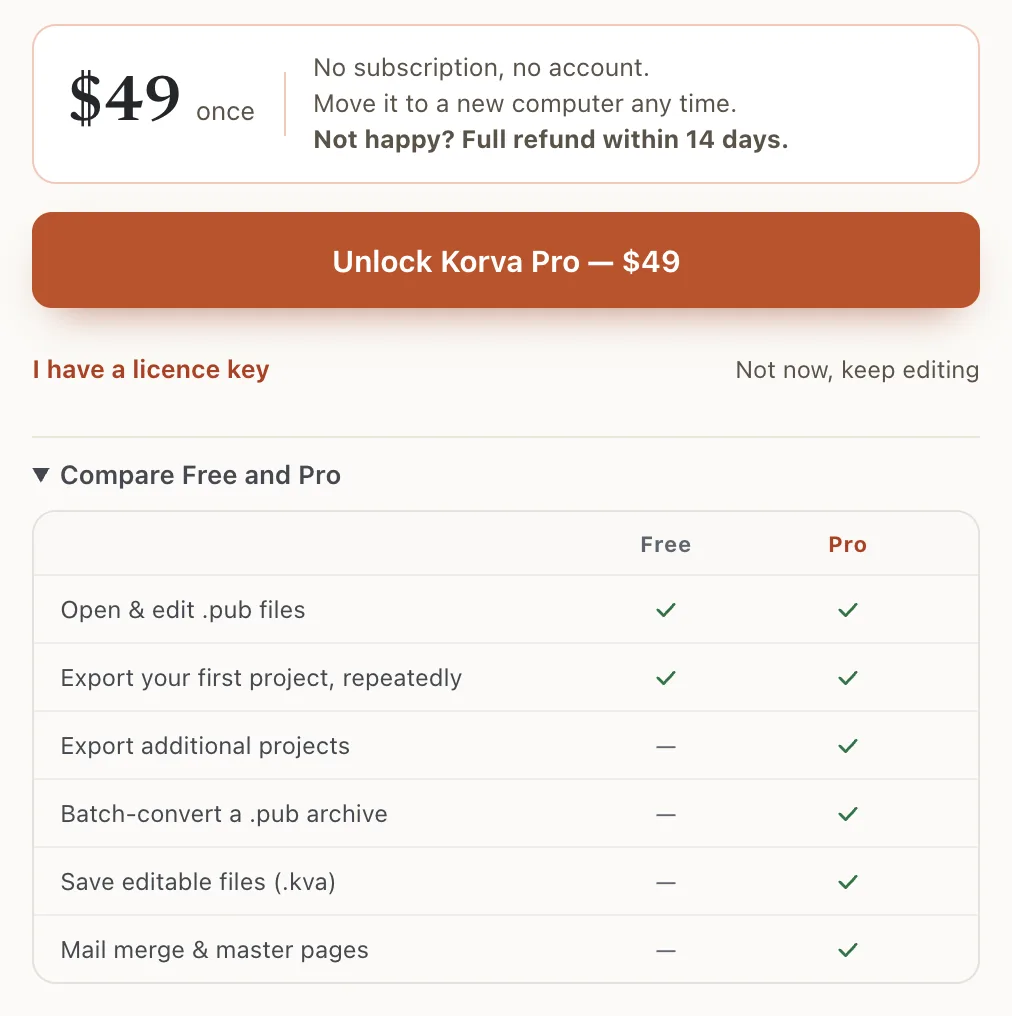
- 1Free and Pro
- 2$49 once
What “your first project” means
On a new installation, the first project you export is yours to export again and again, for free: as a PDF, a picture or a printout. Edit it and export it as often as you like.
When you try to export a different project, Korva says Your free project is used and offers Pro instead. A .pub file counts as the same project each time you open it, so you can always come back to your first file.
The button in the title bar shows where you are:

- 1Free · first project free
- Free · first project free: you haven’t exported anything yet.
- Free · 1 of 1 project: your free project is used.
- Free: you have the older Free access (below).
- Pro: Korva Pro is active.
The start screen says the same in a sentence:

- 1Compare Free & Pro
If you used Korva before this rule
Korva used to let Free users export without a project limit. If you used Korva on this computer before the first-project rule arrived, you keep that: the button just says Free, and the table shows PDF & picture export (legacy access).
If a system cleanup or reinstall made Korva forget you, the window that appears when you export a second project has a link Used Korva before this update? Restore the old Free PDF access. Click it and your old access comes back.
What Korva Pro costs
- $49, once. No subscription and no account.
- One computer at a time. Move it to a new computer whenever you like. See Move your licence.
- Free updates. The terms explain how this works for future major versions.
- Full refund within 14 days if it isn’t right for you. See Refunds.
To buy, click Unlock Korva Pro — $49. Checkout opens in your browser, and your work stays open in Korva. Then activate your key.
If it still doesn’t work
Korva asks for Pro when I export my first project
Your free project may already be used by another export, even a test. The button in the title bar says Free · 1 of 1 project if so. Open that first file to export it again, or get Pro for other projects.
I can’t save my changes
Saving an editable .kva file is a Pro feature. On Free, export a PDF of your work instead. See Save your work.
Save, mail merge or master pages ask for Pro
These are Pro features. Clicking them on Free shows what Pro includes, and Not now, keep editing takes you back to your document.
Something wrong or missing in this article? Email support or open an issue on GitHub.
