How do I save my work in Korva?
With Korva Pro, click Save at the top left (or press ⌘SCtrl+S) and choose where to put the file. Korva saves an editable .kva file you can open and change later. On the Free plan you can't save a .kva file; export a PDF instead with Export PDF, which is free for your first project. Korva never saves over your original .pub file.
- In Publisher
- File, then Save
- In Korva
- File, then Save (Mod+S), File, then Save As (Mod+Shift+S)
Korva Pro feature. Korva Pro is $49 once. The free version shows you this feature and asks for Pro when you use it. Free vs Pro
Korva has its own file type, .kva, which keeps everything editable: pages, text, pictures, master pages and mail merge settings. Saving a .kva file is part of Korva Pro. Saving back to Publisher’s .pub format isn’t available.
Save a Korva file (Pro)
- Click Save at the top left of the window, or press ⌘SCtrl+S. You can also click File, then Save.
- The first time, choose a folder and a name, then click Save. Korva adds .kva to the name.

- 1Save
- 2Unsaved changes
After that, ⌘SCtrl+S saves to the same file without asking. The title bar shows:
- Unsaved changes: you’ve changed something since the last save.
- Saved: everything is in the file.
- Not saved yet: the publication has never been saved, for example a new one from a template.
To save a copy under a different name or in another folder, use File, then Save As or press ⌘⇧SCtrl+Shift+S.
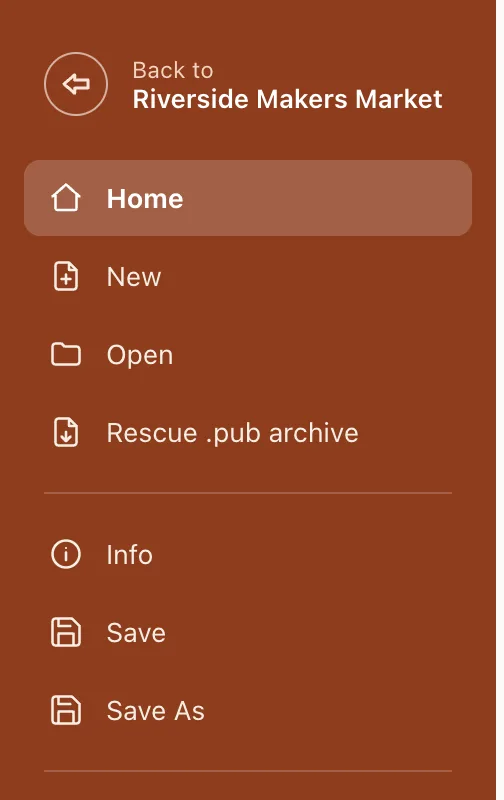
- 1Save
- 2Save As
To open the file again, use File, then Open, or click it under Recent on the start screen.
Keep your work on the Free plan
On the Free plan, Save opens a window that explains Korva Pro instead of saving. You can still keep your work:
- Export a PDF. Click Export PDF at the top right. Free includes exporting your first project, as often as you like. A PDF is for printing and sending; you can’t edit it in Korva later.
- Keep the original. If you started from a .pub file, it’s unchanged. You can open it again and redo your edits.
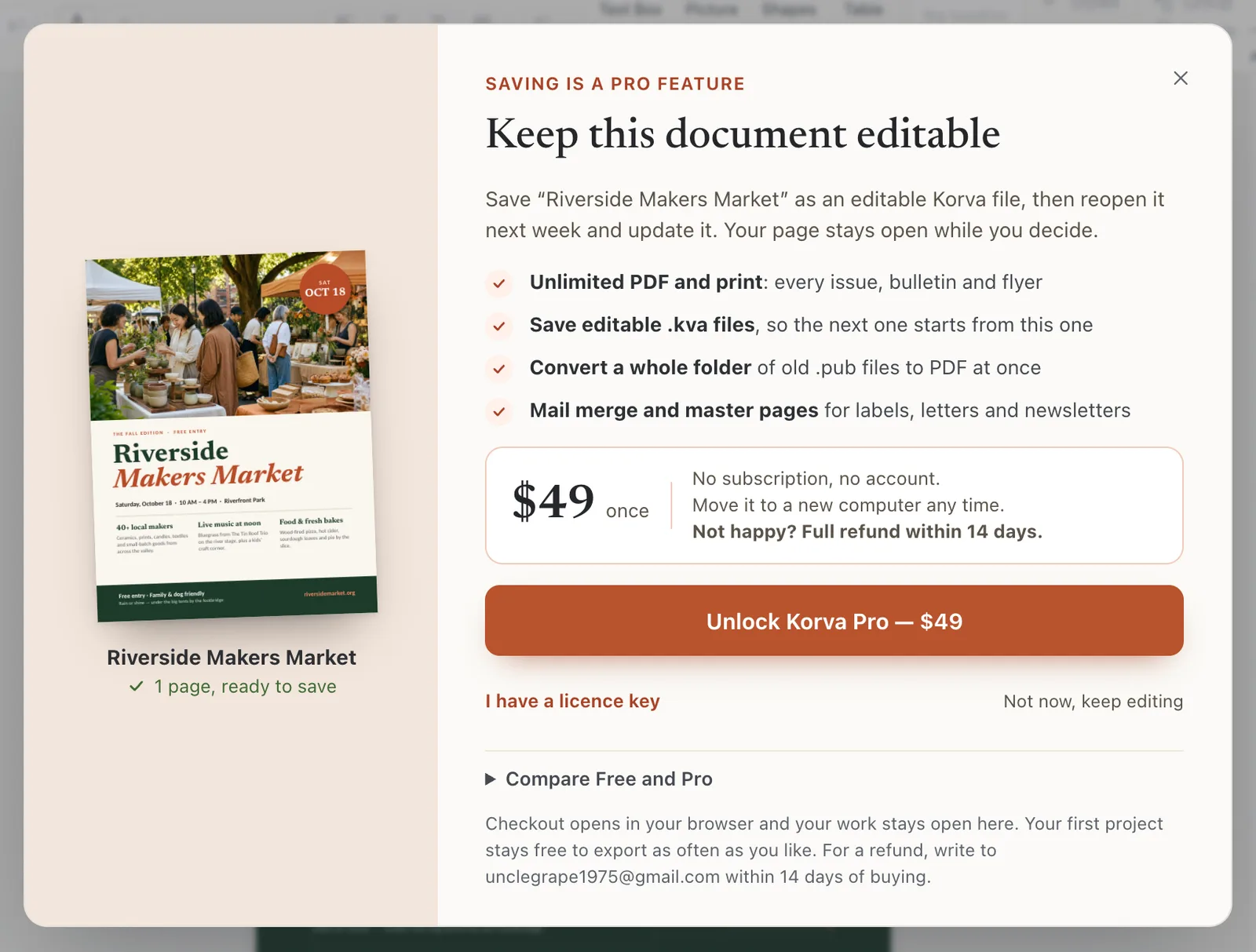
- 1Unlock Korva Pro
If you buy Pro while the publication is open, nothing is lost: activate your key, then click Save. See Free and Pro.
When you close with unsaved changes
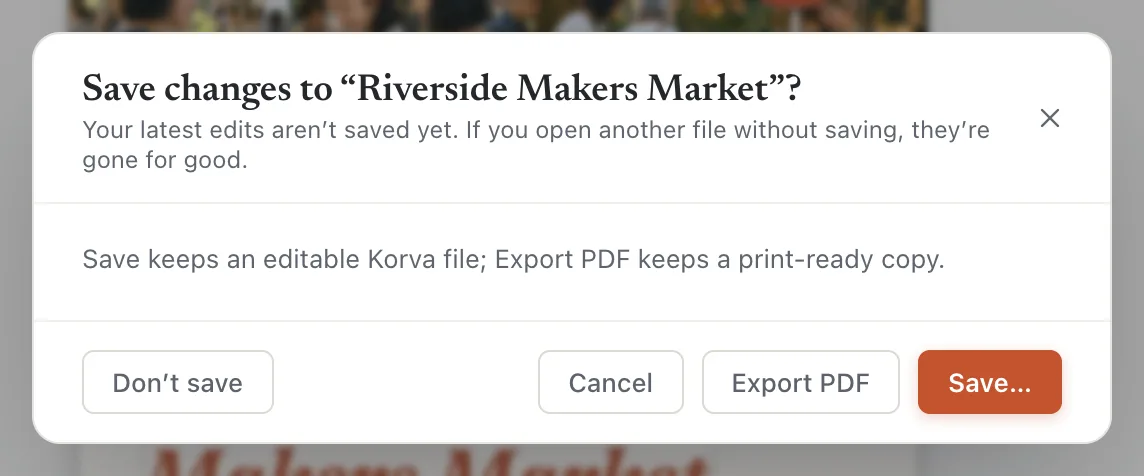
If you close Korva or open another file before saving, Korva asks Save changes to your publication’s name. Choose:
- Save… to save it first (Pro),
- Export PDF to export a PDF first,
- Don’t save to throw the changes away, or
- Cancel to go back.
- 1Export PDF
- 2Save…
If it still doesn’t work
I need a .pub file for someone who uses Publisher
Korva can’t save .pub files. Send them a PDF, or, if they use Korva, a .kva file.
Korva says Save failed
The folder may be read-only, the disk full, or the file open in another program. Use File, then Save As to save to another folder, such as Documents.
Save asks me to buy Pro
Saving editable files is part of Korva Pro. On Free, export a PDF instead. If you’ve already bought Pro, click the plan button at the top right and enter your licence key. See Activate Korva Pro.
Something wrong or missing in this article? Email support or open an issue on GitHub.
