Can Korva open files from old versions of Publisher?
Yes. Files from Publisher 2003 and every later version open with their layout kept. Files from Publisher 2002, 2000 or 98 open too, but Korva can read only their text and pictures, so it lays them out on new pages (Layout reflowed). If you still have Publisher 2003 or later, save the old file again there and Korva will open the new copy with its layout.
- In Publisher
- File, then Open (Publisher 98, 2000, 2002)
- In Korva
- File, then Open
Korva reads the page layout the way Publisher 2003 and later versions store it. Publisher 98, 2000 and 2002 stored layout differently, and Korva doesn’t read that older layout. It still opens the file and rescues every word and picture it can find, so your content isn’t lost.
What an old file looks like in Korva
Open the file as usual with Open a file… or ⌘OCtrl+O. Korva puts the content on new Letter-size pages: the first line as a headline, the pictures in a grid, and the rest of the text as one story that runs onto as many pages as it needs. The note at the bottom of the Format pane says Layout reflowed.
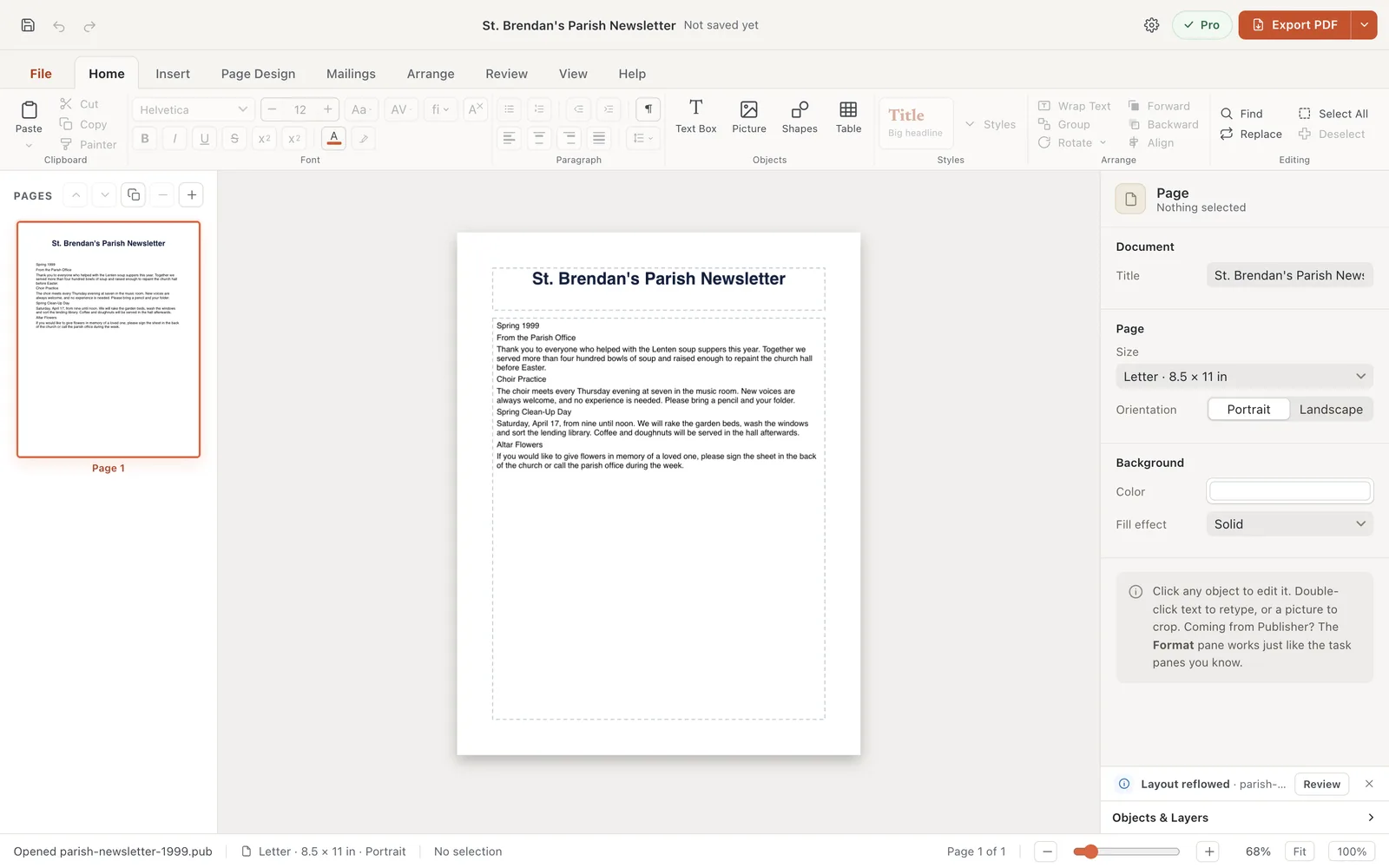
- 1One new page
- 2Layout reflowed
File, then Info shows where the document came from: Opened from file name (text and pictures only).
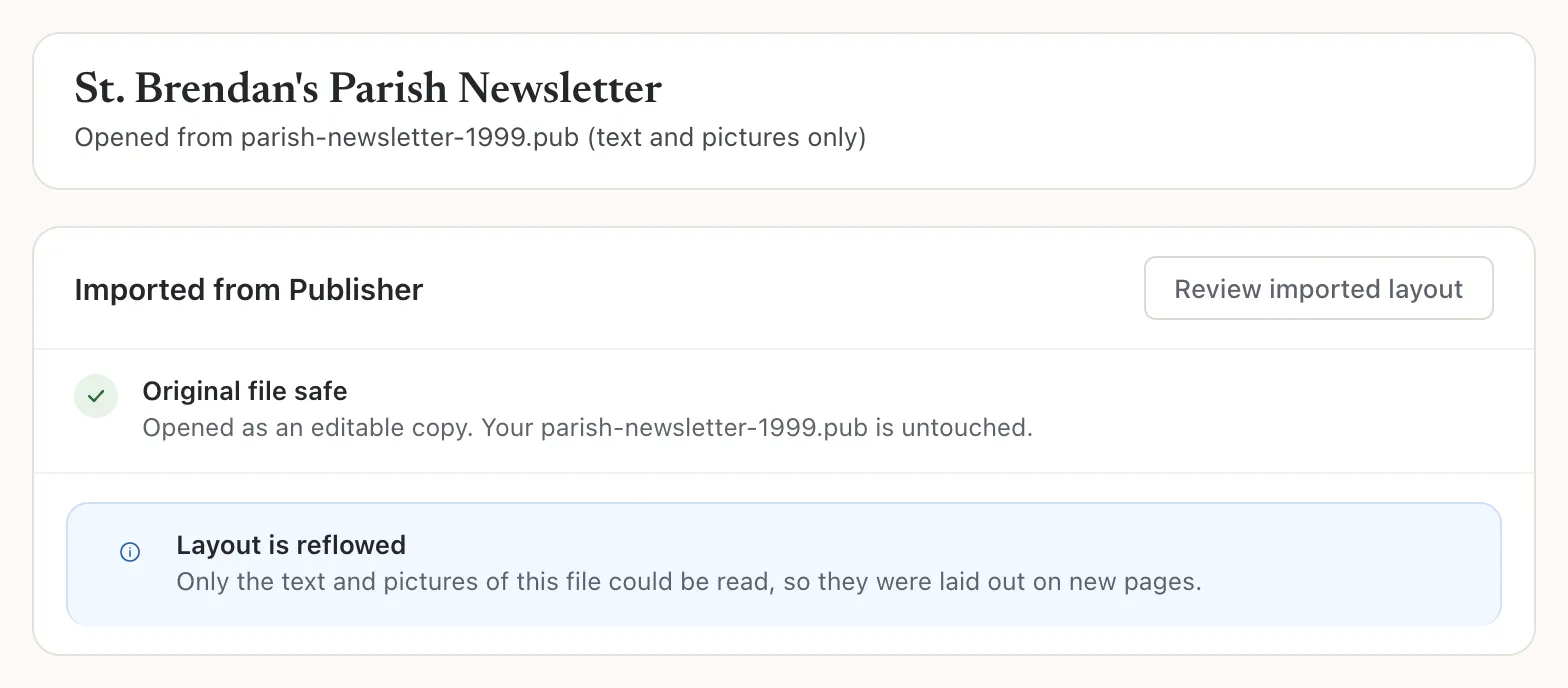
- 1Opened from … (text and pictures only)
Get the layout back
If you still have Publisher 2003 or later
This is the best way, because it keeps the design.
- Open the old file in Publisher.
- Choose File, then Save As and save it as a Publisher file (.pub) under a new name.
- Open the new copy in Korva. The note should say Layout kept.
Do this for every old file you want to keep while Publisher is still on that computer. For a whole folder of files, first see which ones need it with the Rescue Center.
If you don’t have Publisher
Rebuild the layout in Korva. The text is already typed in, which is most of the work.
- Set the page size and orientation under Page Design, then Size and Orientation.
- Move and resize the text box and pictures. Split long text into several boxes with linked text boxes. See Linked text boxes.
- Or start from a template that looks close to the old design, and paste the text into it.
If it still doesn’t work
Some text is missing
Korva keeps runs of readable text and skips short scraps, like the list of font names stored inside the file. If a short line such as a phone number is missing, type it back in. If whole paragraphs are missing, the file may be damaged; see A .pub file won’t open.
The pictures are missing
Some old files keep their pictures in a form Korva can’t extract. Insert the pictures again from your own copies with Insert, then Picture.
My file is from Publisher 2003 or later but it was still reflowed
The file may be damaged, or uses something Korva doesn’t recognize yet. See Layout kept or reflowed, and contact support if you can share the file.
Something wrong or missing in this article? Email support or open an issue on GitHub.
