How do I get a refund for Korva Pro?
Email support@korsund.com within 14 days of buying, from (or naming) the email address you bought with, and ask for a refund. You get the full $49 back, no questions asked. The refund goes through Polar, our payment provider, and your licence key stops working when it does.
- In Korva
- Help, then Contact Support
Korva Pro feature. Korva Pro is $49 once. The free version shows you this feature and asks for Pro when you use it. Free vs Pro
If Korva Pro isn’t right for you, you can have your money back. You don’t have to explain why.
Ask for a refund
- Within 14 days of buying, write to support@korsund.com. In Korva you can use Help, then Contact Support, which shows the address with Copy and Open my email app buttons.
- Send it from the email address you bought with, or tell us that address in the message.
- We refund the full price through Polar, the company that runs our checkout. How long the money takes to reach your account depends on your bank or card.
The same promise is shown in Korva’s Pro window: Not happy? Full refund within 14 days.
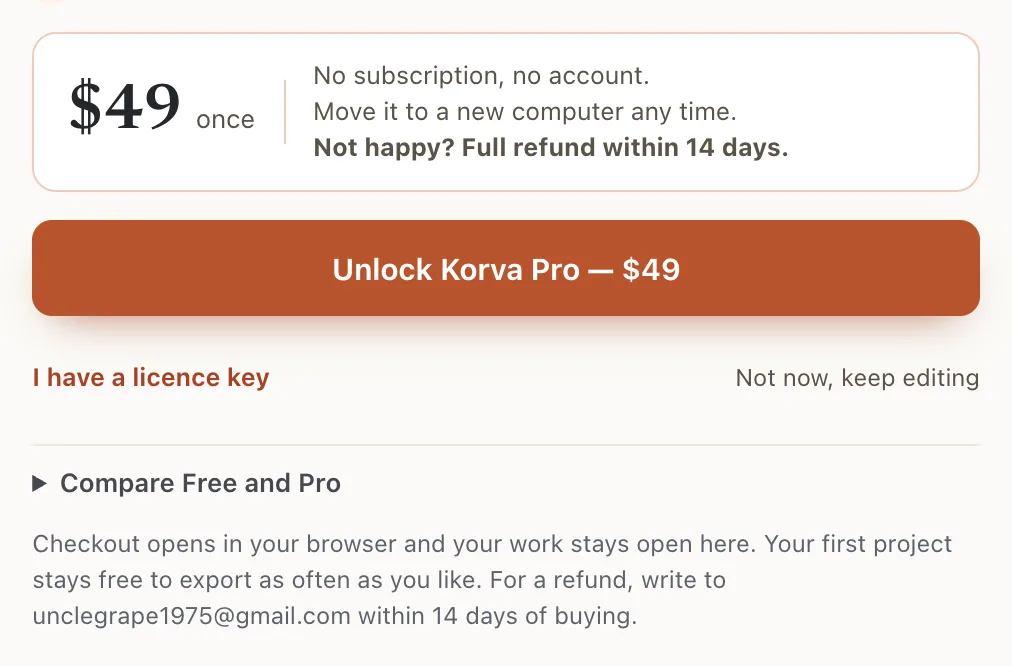
- 1Full refund within 14 days
- 2Where to write
What happens to Korva after a refund
- The licence key is turned off when the refund is issued.
- The next time Korva starts with an internet connection, it notices and goes back to the Free plan.
- Your files are untouched. Korva Free still opens and edits your .pub and .kva files, and exports your first project. See Free vs Pro.
After 14 days
The 14-day guarantee is ours. Any refund rights you have under the consumer law of your country still apply. The full wording is in our terms.
If it still doesn’t work
I haven’t heard back
Check your spam folder, then write again. Make sure you wrote to support@korsund.com.
Korva still shows Pro after the refund
Korva checks the licence when it starts. Quit Korva and start it again while connected to the internet.
I want to buy again later
Buy again any time from the Pro window in Korva, and activate the key from the new receipt.
Something wrong or missing in this article? Email support or open an issue on GitHub.
