Free downloads
Free printable templates for bulletins, newsletters and flyers
Print-ready layouts made in Korva: download the PDF and print it today, or grab the editable file and change every word, photo and color. Built for the jobs people used Microsoft Publisher templates for — the Sunday bulletin, the monthly newsletter, the event flyer.
-
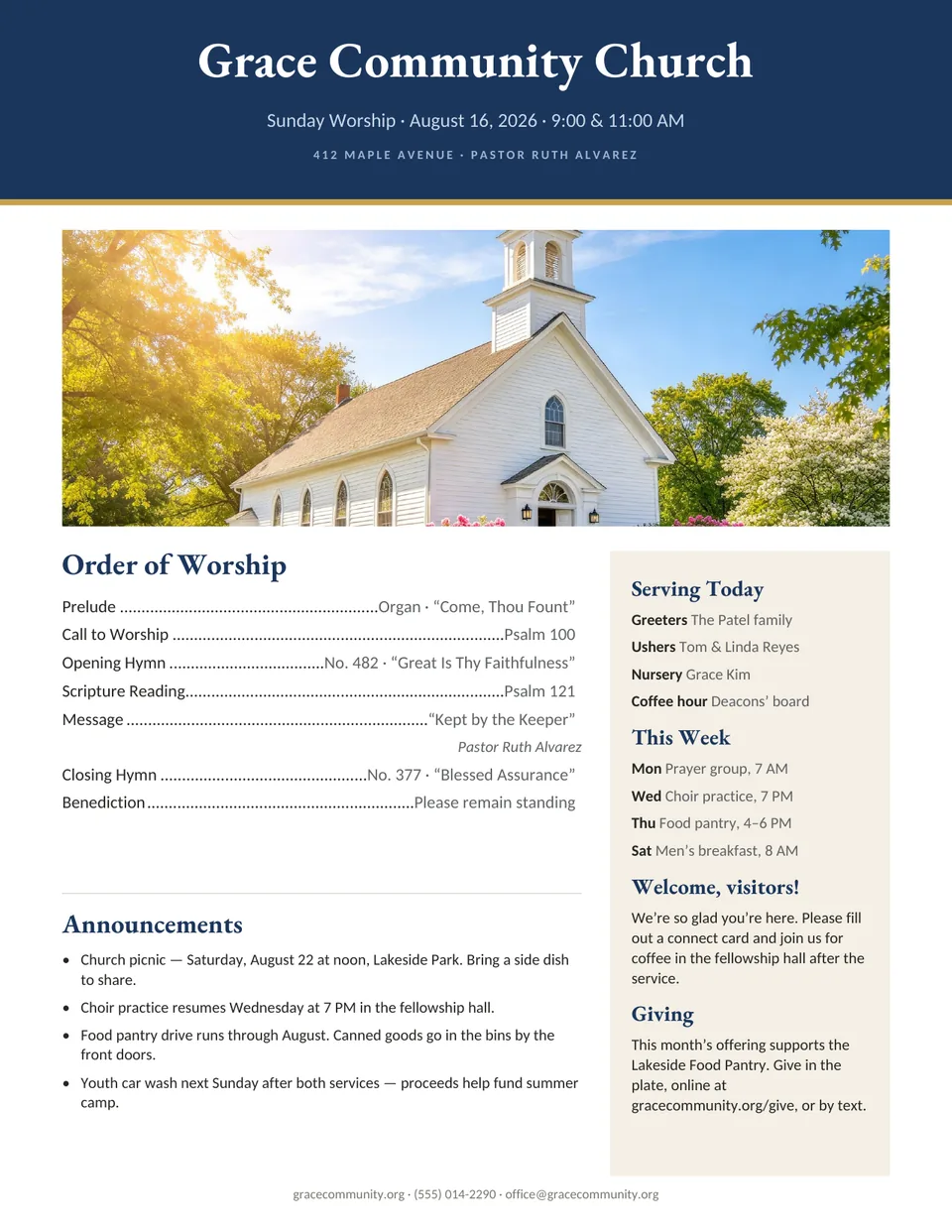
Church bulletin template
Sunday Church Bulletin
A full-color weekly worship bulletin with a photo header, an order of worship with dotted leaders, a “Serving today” panel, the week’s schedule, announcements and a giving note.
- Order of worship with hymn and scripture lines
- Sidebar for volunteers, weekly events and visitors
- Announcements block with room for four notices
-
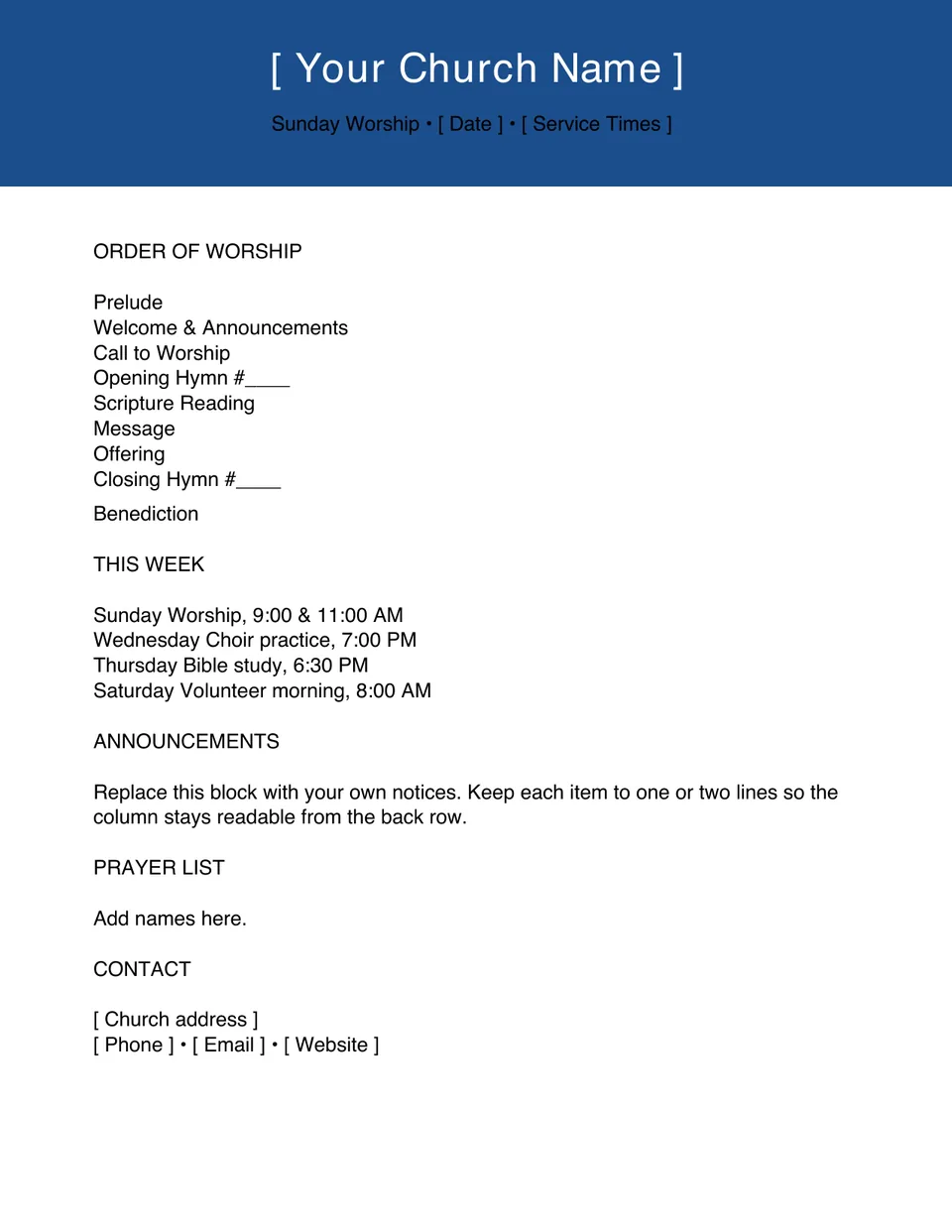
Printable church bulletin
Simple Fill-In Church Bulletin
A plain, low-ink bulletin for the photocopier. Every church-specific detail is a bracketed placeholder, so you only type over the parts that change.
- Order of worship, this week, announcements and prayer list
- Bracketed placeholders for name, date and service times
- Black text on white — cheap to copy in bulk
-
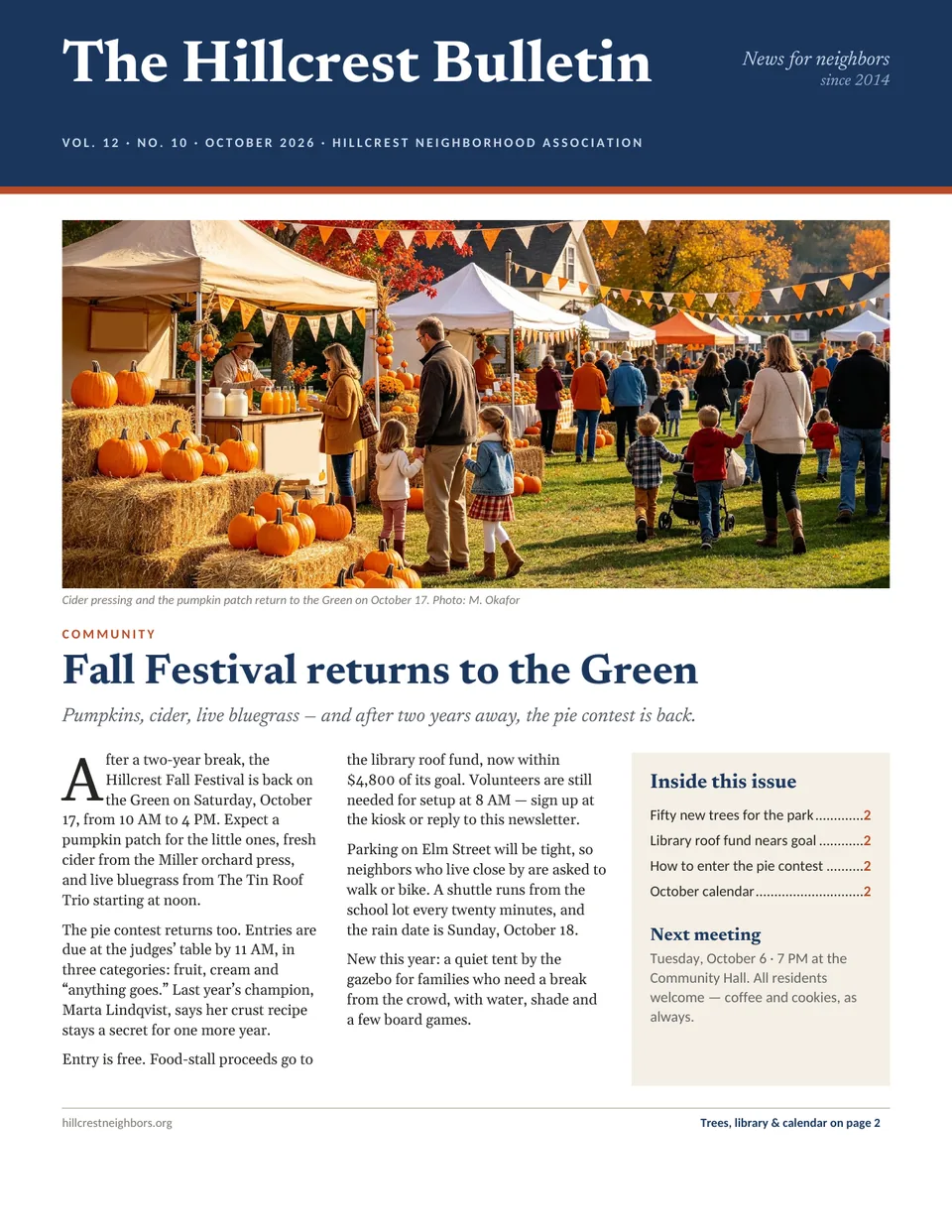
Newsletter template
Two-Page Community Newsletter
A neighborhood-association newsletter with a masthead, a lead story with a drop cap, an “Inside this issue” box, photo stories and a month-at-a-glance calendar. Works for churches, schools, clubs and HOAs.
- Masthead with volume, issue and date line
- Lead story, two photo features and a pull quote
- Calendar column for the month’s dates
-
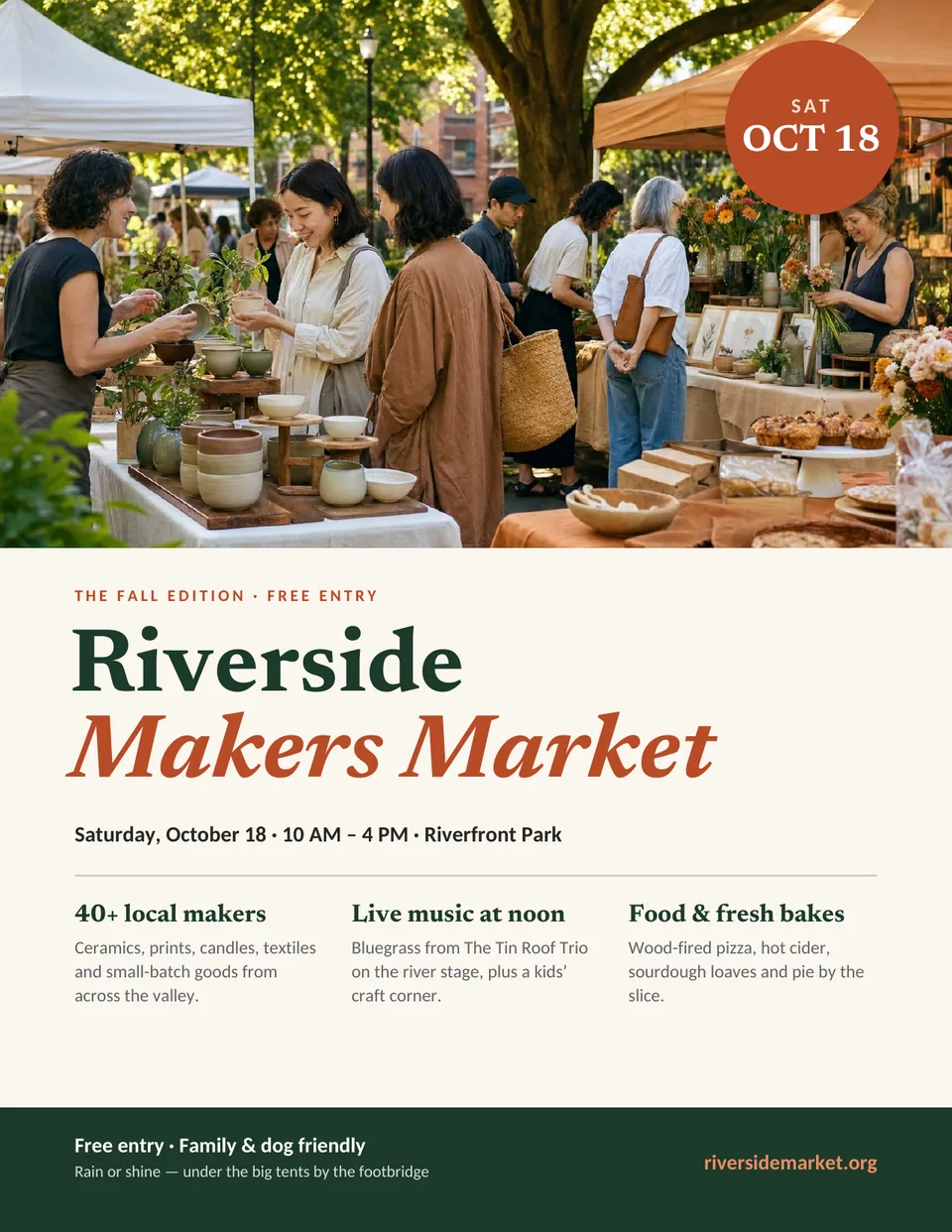
Flyer template
Event Flyer
A bold one-page flyer for a market, fair or fundraiser: a large photo, a date badge, a two-color headline, three “what to expect” columns and a footer bar for the essentials.
- Photo area with a round date badge
- Headline set in two colors for the event name
- Three short feature columns and a footer strip
-
Business card template
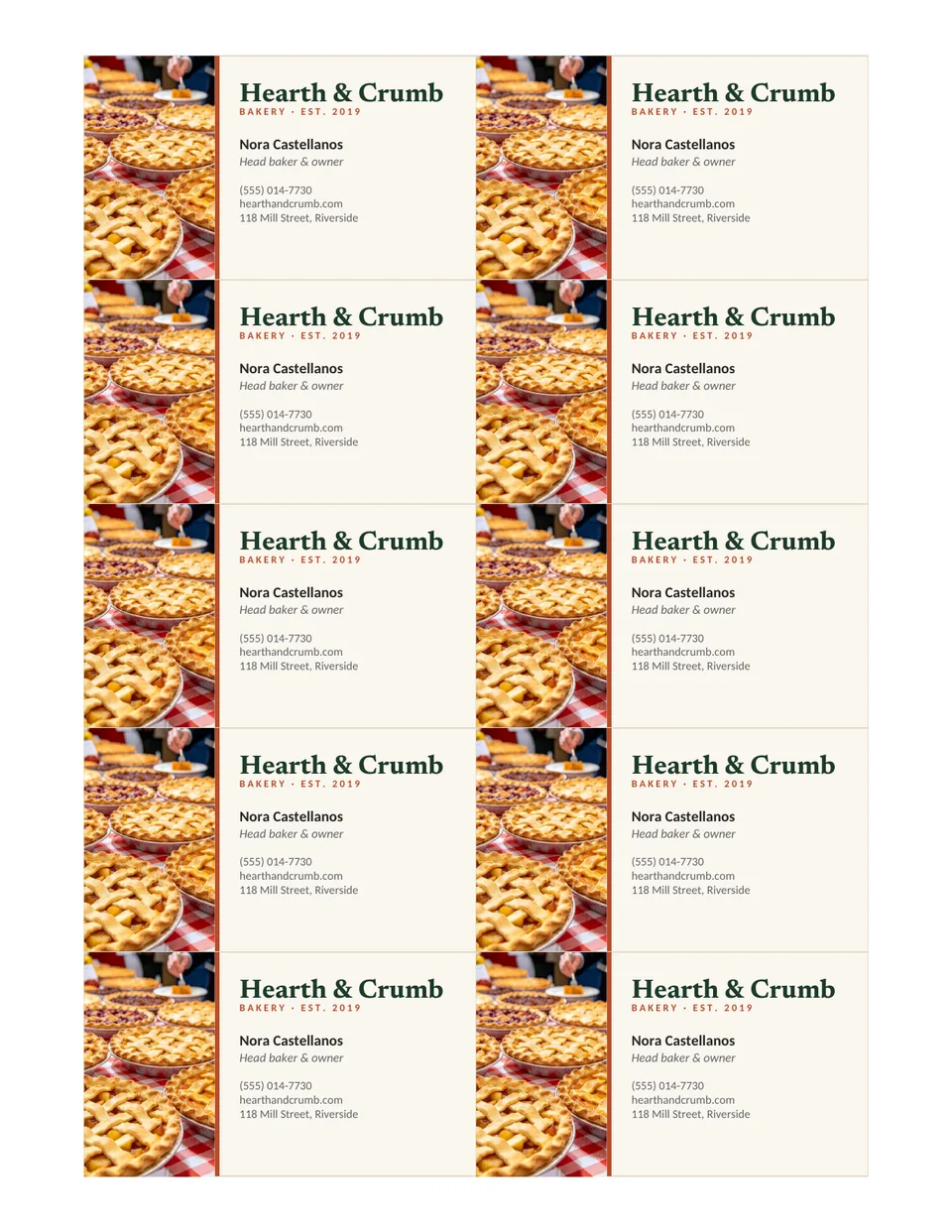
Business Cards, 10 per Sheet
Ten standard 3.5 × 2 in business cards in the common 2 × 5 sheet layout (0.75 in side and 0.5 in top margins) used by perforated card stock. Edit one card, then copy it to the rest.
- Photo strip, name, title and contact lines
- Standard 3.5 × 2 in card size
- Prints on a home printer or at a copy shop
How to edit a template in Korva
- Download Korva for Windows, macOS or Linux. It is free to install and works offline, with no account.
- Download the template's .kva file and open it from Korva's home screen.
- Click any text frame to retype it, and double-click a photo to replace it with your own picture.
- Export a PDF for the printer. Your first complete project exports free; Korva Pro is a one-time USD 49 licence for unlimited projects, mail merge and master pages.
Just need paper in hand? Print the PDF straight away — each one is US Letter and prints on a home printer or at a copy shop. For the size, fold and paper decisions behind a good print, see the flyer size guide, brochure folds and the paper sizes chart.
Looking for Microsoft Publisher templates?
Microsoft Publisher is no longer part of Microsoft 365, and its online template catalog went with it. The
layouts you already saved still matter, though. Korva opens .pub files — including the
bulletins and newsletters you built from Publisher templates years ago — so you can keep editing them
instead of starting over. Check any old file with the free online PUB viewer,
turn it into a PDF with the PUB to PDF converter, or read
how to choose a church bulletin template that prints well.
Template questions
Are these templates really free?
Yes. Every template is a free download: a print-ready PDF you can print as-is, plus the editable .kva file. There is no sign-up and no email gate.
How do I edit the templates?
Download Korva for Windows, macOS or Linux, then open the .kva file. Every headline, paragraph and photo is a separate, editable frame. A new user can export the first complete project free; Korva Pro is a one-time $49 licence for unlimited projects.
Can I open these in Microsoft Publisher, Word or Canva?
The .kva files open in Korva. The PDF versions print from any computer, and you can import the PDF into tools such as Canva or Adobe Acrobat for light edits. Publisher cannot open .kva files.
I have old Microsoft Publisher templates. Can I keep using them?
Yes. Korva opens .pub files, including templates you saved in Publisher, so you can keep editing your own layouts. To see what is inside a .pub first, use the free online PUB viewer.
Can I print these at a copy shop?
Yes. The PDFs are US Letter and print at home or at any copy or print shop. If a print shop asks for crop marks and bleed, open the .kva in Korva and export with the Print shop destination, which adds crop marks and a 1/4-inch bleed. Choose CMYK composite under Color if the shop asks for it.
